Website Migrations: What Happens After the Switch
Published: 28 September 2026
In Part 1, we covered everything that happens before a migration goes live: the planning, the audits, the URL mapping, the redirect logic, the staging reviews, and the sign-off process that determines whether a launch succeeds or fails. If you haven't read it yet, start there.
This is where that story picks up. The checklist is signed off, the dev team is ready, and the new site is about to go live. For a lot of businesses, this feels like the end of the process. For us, it's the start of a different kind of work.
Launch Day
Launch day is not a time to sit back and watch. It's one of the most active days of the entire project.
The moment the site goes live, we start working through a post-launch checklist that mirrors the pre-launch work from staging. The difference is that now we're looking at real traffic, real crawl behaviour, and real signals from Google. Things that looked fine in staging can surface differently in production, and the faster we catch them, the less damage they do if they're not quite right.
What we're checking immediately:
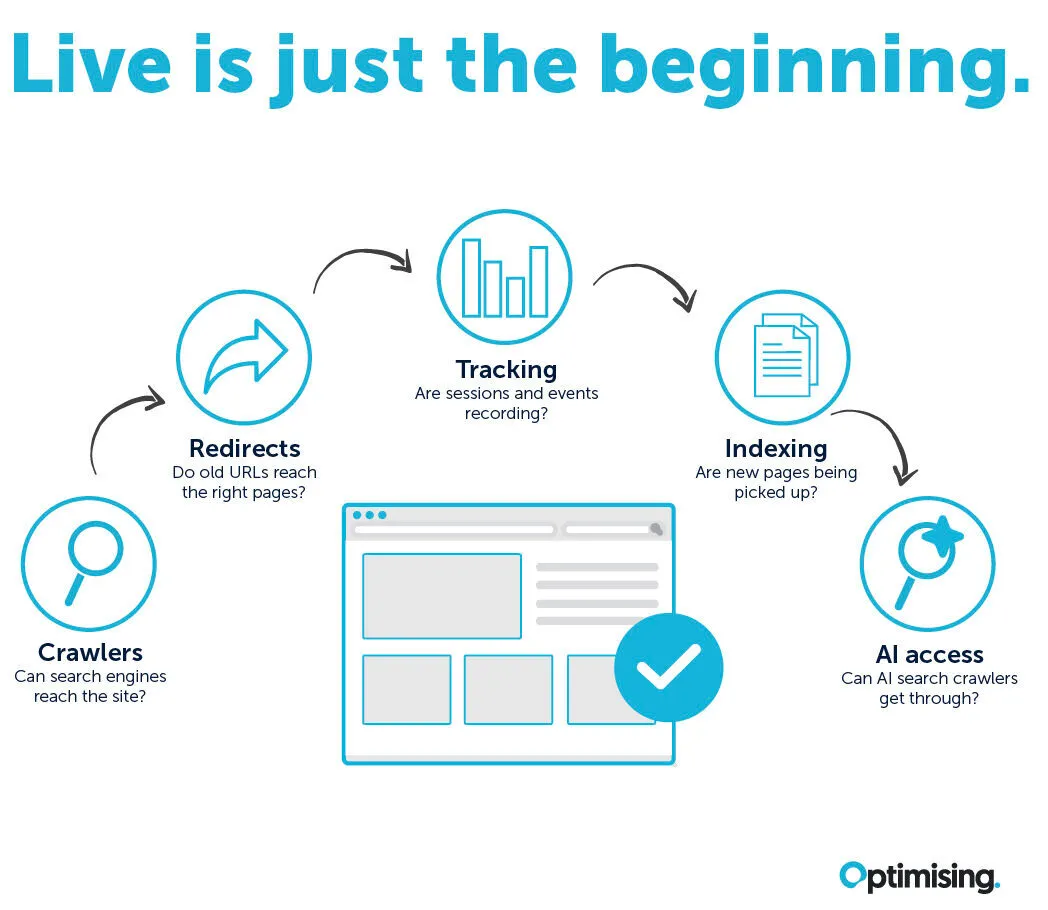
- The site is crawlable and Google can access it: This sounds obvious, but one of the most common post-launch issues we see is a robots.txt file that was set to block crawlers in staging and wasn't updated before go-live. An entire site can be invisible to Google within minutes of launch if that's missed.
- AI crawlers can access it too: The same robots.txt check now needs to cover more than Googlebot. OpenAI alone runs three separate user agents: GPTBot for training, OAI-SearchBot for ChatGPT search visibility, and ChatGPT-User for user-triggered fetches. Each behaves differently, and blocking or throttling the wrong one during a launch freeze can quietly extend your recovery window for weeks. We see partially cleaned-up robots.txt files more often than fully broken ones, and this is usually where the gap is.
- Redirects are firing correctly at scale: In staging, we validate the redirect logic against a sample of URLs. In production, we're checking that the full redirect map is working as expected, with no chains, no loops, and no URLs returning unexpected status codes. Chains matter more than they used to, because AI crawlers work to tighter timeout constraints than Googlebot and will abandon a page that takes too many hops to reach.
- Analytics tracking is intact: A migration can break GA4 tracking in ways that aren't immediately obvious. We verify that sessions are being recorded, that events are firing, and that the data flowing into reporting tools matches what we'd expect.
- GSC is showing the new site correctly: We submit the updated sitemap, check that the new URLs are being picked up, and watch for any early coverage errors. For domain moves, we also run the Change of Address tool rather than relying on redirects alone.
The First Two Weeks
After launch, there's a settling period. Google needs time to recrawl and reprocess the migrated site, and that process doesn't happen overnight. Some fluctuation in rankings and traffic during this window is completely normal, and one of the most important things we do in the post-migration period is help clients understand what they're seeing.
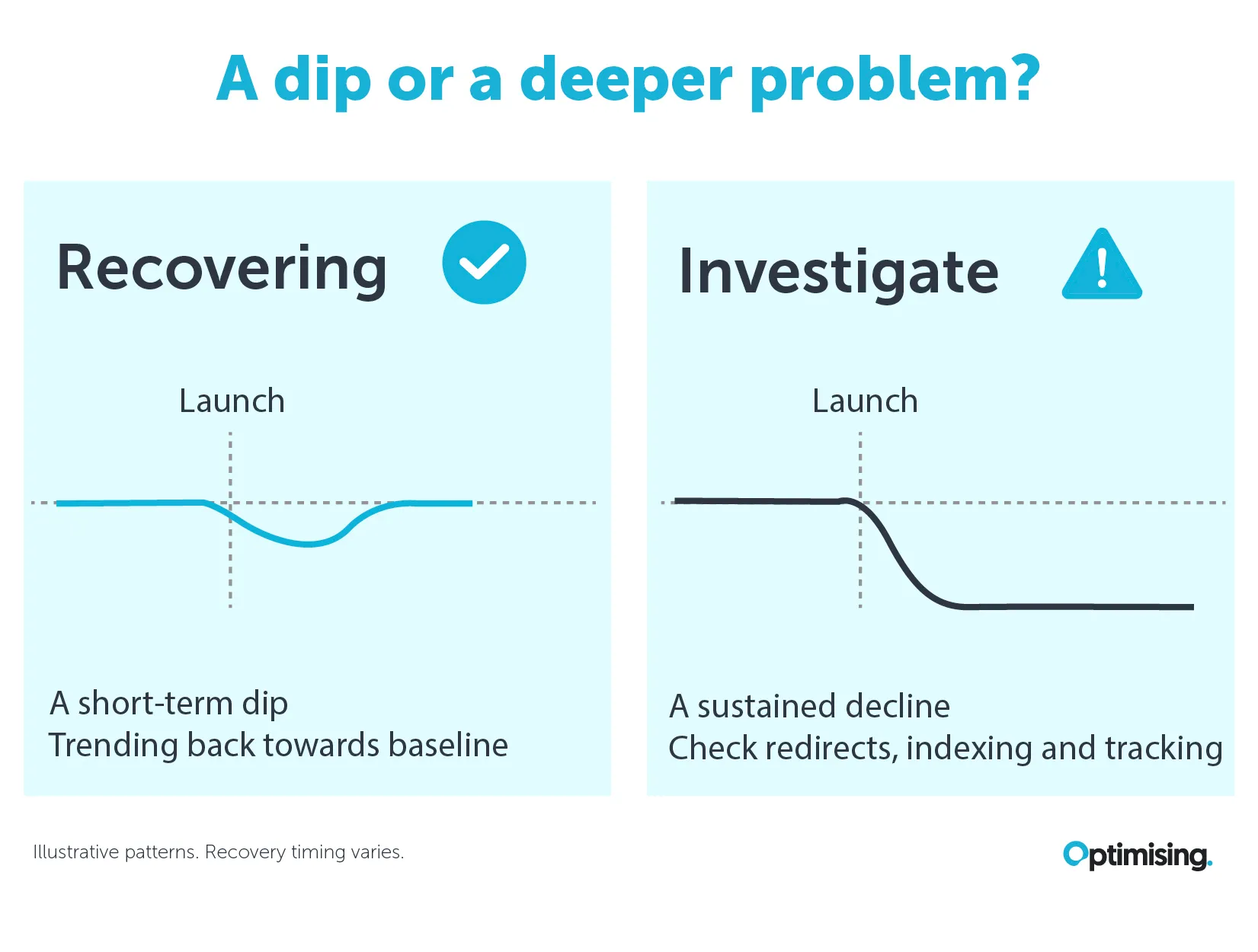
What normal looks like: a slight dip in rankings for some terms in the first few days, followed by gradual recovery and stabilisation over one to two weeks. Crawl rate typically spikes as Google processes the changes. Some pages may temporarily disappear from search results before reappearing at the same or better positions.
What a red flag looks like: a sustained drop in organic traffic with no sign of recovery, a large volume of 404 errors appearing in GSC, redirect chains generating 302s instead of 301s, or a significant portion of the site going missing from the index.
AI visibility runs on a different clock. Rankings track redirects and backlinks. Citations in AI Overviews, ChatGPT and Perplexity track schema, entity consistency, third-party mentions and crawler access, which are different systems with different recovery timelines. It's entirely possible for rankings to hold steady while citations fall away, and if you're only watching the Google numbers you won't see it. We benchmark AI visibility before launch for exactly this reason, and we treat a citation drop with stable rankings as its own red flag rather than noise.

Our Ingenia Holidays migration is a good benchmark for what a well-managed post-launch period looks like. Within two weeks of launch, traffic levels matched pre-migration benchmarks, and key non-branded terms began recovering ahead of schedule.
That didn't happen because we launched and hoped for the best; it happened because we stayed embedded with the team and kept monitoring closely through the settling period.
What Commonly Goes Wrong (Even in Well-Prepared Migrations)
Even with thorough preparation, post-launch issues happen. The goal isn't to avoid them entirely, it's to catch them fast.
These are the most common problems we see in the weeks after a migration goes live:
- Redirect gaps that weren't caught in staging: A development environment is never a perfect replica of a live site. Parameters, pagination, filters, and edge cases that weren't in the URL map can surface at scale once real traffic hits. We monitor 404 reports in GSC closely in the first weeks and patch gaps as they appear.
- Removed pages redirected to the homepage: When a page is genuinely gone with no equivalent on the new site, sending it to the homepage looks tidy and isn't. It creates soft 404 signals and a poor experience for anyone who followed that link. A 410 is the honest answer, and it's faster for Google to process than a redirect that leads nowhere useful.
- Canonicals pointing to the wrong version: A canonical tag misconfiguration can cause Google to index the wrong URL, consolidate equity incorrectly, or ignore pages entirely. These often look like normal crawl behaviour in staging but show up clearly in GSC coverage data post-launch.
- Structured data lost in the replatform: Schema rarely survives a CMS change intact. It gets rebuilt from scratch, partially ported, or dropped from templates that nobody thought to check. Rich results disappear, and because AI systems lean heavily on structured data to understand what a page is about, citations can go with them even when rankings look fine.
- Hreflang errors at scale: For sites with international or multilingual content, hreflang errors can be subtle in testing but significant in practice. Incorrect language or region targeting, missing return tags, or mismatched URLs across language versions can all cause rankings to drop in specific markets.
- Analytics breaking under the new structure: A change in URL structure, a new tag manager setup, or a redesigned site architecture can all introduce gaps in tracking. Attribution breaks, events stop firing, and conversion data becomes unreliable at exactly the moment you need it most to benchmark the migration.
- Staging noindex tags not removed: A page or section of the site was set to noindex in staging to prevent it being indexed before launch, and the tag wasn't removed before go-live. It's easily caught in a thorough pre-launch review, but it still surfaces occasionally, especially on large sites where the tag was applied at a template level.
- Content changes that affected more than intended: A migration is often used as an opportunity to clean up content, consolidate pages, or cut sections of the site that seem redundant. Sometimes those decisions remove pages that were carrying more SEO value than anyone realised. We flag these risks in the content audit, but occasionally something gets cut that we'd have kept.
There's a version of this last one that's specific to AI search, and it catches people out. A 301 tells a crawler where a page moved. It doesn't tell a language model that the passage it learned three months ago has been rewritten, resectioned or renamed. AI engines cite specific text, not URLs, so a migration can be technically flawless and still drop you out of AI answers because the headings changed and the quotable passage no longer matches. Redirects are necessary for citation continuity. They aren't sufficient on their own.
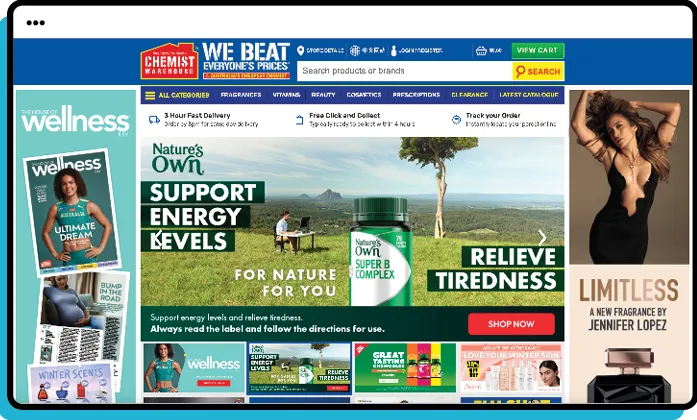
The Chemist Warehouse migration is a good example of what fast triage looks like on a large-scale project. With three pharmacy brands and a major platform change, there were inevitably small technical items that surfaced post-launch. The difference was that we were embedded and monitoring closely enough to catch and resolve them before they had any impact on traffic or rankings.
How We Stay Across the Post-Migration Period
Proper post-migration monitoring doesn't wrap up in a week. Depending on the size and complexity of the migration, we stay in active monitoring mode for weeks, sometimes months.
What that looks like in practice: weekly checks against the baseline we captured before launch, regular GSC coverage reviews, ranking benchmarking across the priority keyword set, AI citation tracking against the pre-launch baseline, and crawl monitoring to catch any new 404s or redirect issues as the site evolves post-launch.
WIPs with the dev team continue until the site is stable. Even after the immediate launch period, development work doesn't stop. New features get added, content gets updated, templates get tweaked. Any of those changes can introduce new SEO issues, and we stay close enough to catch them before they compound.
Communication with clients through this period matters as much as the monitoring itself. Rankings move during a settling period and clients notice, so we keep them across what's normal, what we're watching, and what we're acting on, so they're not left interpreting data without context.
When Things Go Really Wrong
Most migrations, prepared well, don't require a rollback. But some do.
A rollback can be the right call when the issues surfacing post-launch are severe enough that the cost of staying live outweighs the cost of going back. That's a high bar. Rolling back a site isn't as simple as flipping a switch; it's a significant technical operation with its own risks, and it resets the migration timeline substantially.
Baby Bunting is the most public example of what a rollback actually costs. They launched a new ecommerce site in 2019, ran into serious technical issues, and rolled back to the old site in November of that year. Online sales growth had slumped to 7% year on year in the four weeks before the rollback, recovering to 21% in the four weeks after returning to the old site, a period that included Black Friday. The broken site also drove an influx of support requests that added several hundred thousand dollars to the cost of the customer care centre in that half alone. The damage went further again: the business ended up writing off the entire $3.2 million cost of the project and starting from scratch. And because there are only a handful of viable windows in the retail calendar to attempt a migration without disrupting peak trading, the replacement build took years rather than months to land.
When we're in recovery mode on a migration that's gone live with problems, the process is triage first. Which issues are causing the most damage, right now? What can be fixed in hours versus days? What needs a dev deployment versus a CMS update? We prioritise by impact and work through it systematically, keeping the client across progress at every step.
The line between "this will settle" and "we need to act now" isn't always obvious. Experience is what makes that call faster and more accurate. We've seen enough post-migration scenarios to know which signals matter and which ones resolve on their own.
What a Good Migration Looks Like in the End
A well-executed migration leaves almost no trace. The business gets the new platform it wanted. Rankings hold. Traffic stays stable. Citations in AI search hold their ground. Clients don't panic. And within a few weeks, the new site is performing at least as well as the old one, often better.
That outcome is the product of everything in both parts of this series working together: thorough preparation, clean execution, and active monitoring through the settling period. No single part of it is optional.
The Penfolds and Hostplus migrations are both good examples of what this looks like at the other end. The preparation was detailed, the monitoring was close, and the results were what the clients needed: organic visibility protected through the transition, with the technical foundations in place for future growth.
If you're planning a migration and want to make sure it goes the right way, the best time to talk to us is before the build starts.

James Richardson
Co-Founder
James Richardson is one of the co-founders of Optimising, that he started in 2008. He's spent nearly two decades helping Australian brands get found online, from technical SEO and platform migrations through to AI search.
Outside work, he's usually on the basketball court or golf course or being comprehensively outsmarted by his three daughters.